
Descripció
AumLang turns your WordPress site multilingual with one-click AI translation that keeps your page builder layouts intact. It uses the AI client that ships with WordPress 7.0, so on a site that already has a provider connected there is nothing to configure and no key to enter.
Highlights
- Builder-aware translation. Elementor and Gutenberg pages are translated automatically — text only, layout and styles untouched. Custom widgets and repeaters are detected from the builder’s own type system, with zero per-widget configuration.
- One-click, fully automatic. Translate a post, page or product and AumLang handles the title, content, excerpt, categories, tags and more.
- SEO complete. Per-language URLs (/zh/…), hreflang alternates, per-language canonical, and a multilingual XML sitemap.
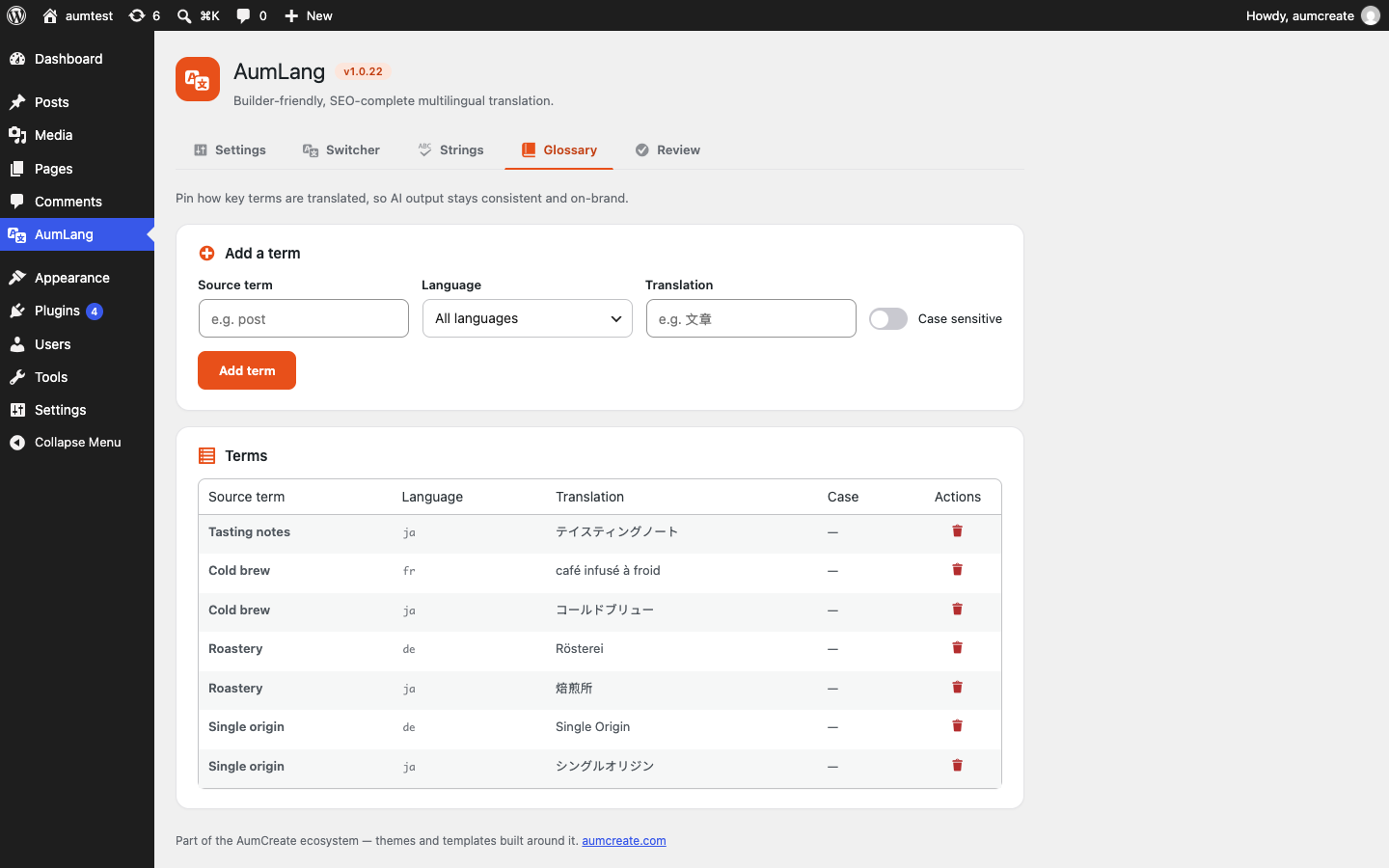
- Glossary. Pin how key terms are translated (e.g. keep a brand name, force “post” a chosen term) so AI output stays consistent and on-brand.
- Interface string translation. Capture the theme/plugin interface strings your visitors actually see and translate them on demand — and pull official WordPress.org language packs automatically.
- Taxonomy translation. Categories, tags and custom taxonomies get per-language versions, with translated archives and language-filtered term lists.
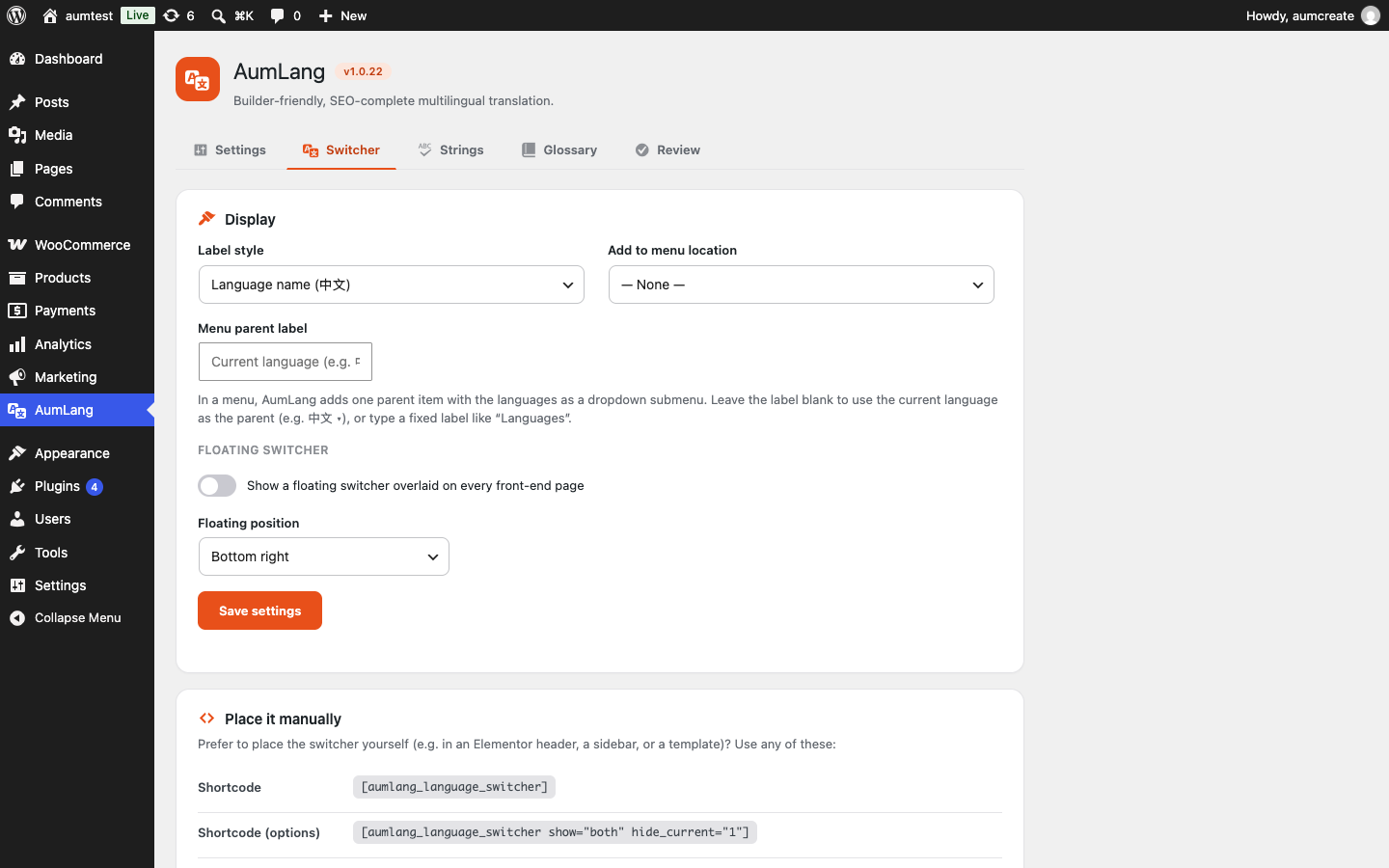
- Language switcher. Shortcode, template tag, block and widget — drop it anywhere.
- Navigation menus. One menu serves every language; items auto-switch to their translation.
- WooCommerce. Products, product categories, tags, brands and attributes are translated, and the full product data (price, stock, gallery) is carried over so the translation stays a working product.
Either way the AI account is yours, so translation cost is under your control — no per-translation fees, no quotas from us, and no account with us of any kind.
Translation engines
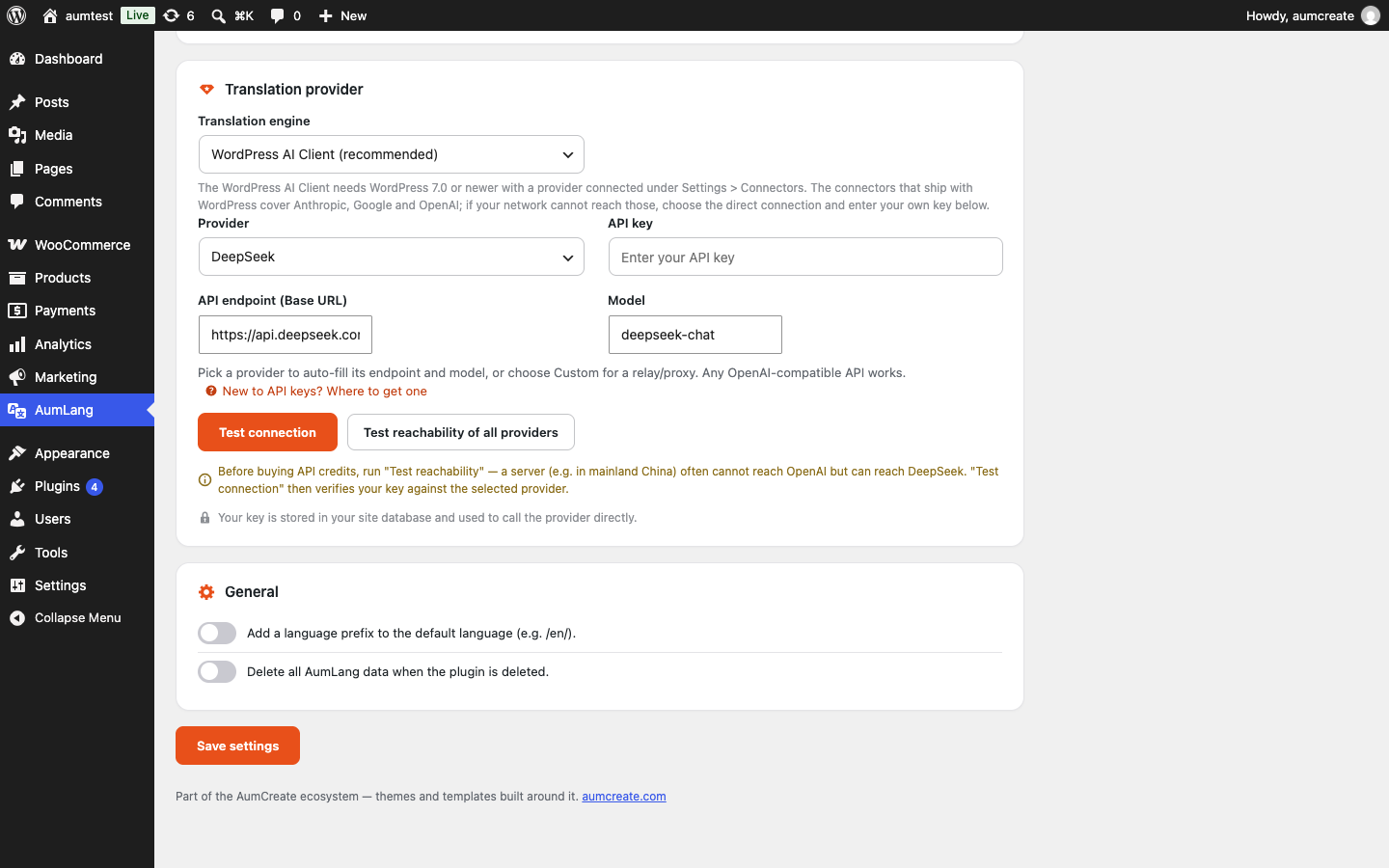
AumLang prefers the AI client that ships with WordPress 7.0, and new installs use it by default. The site owner connects a provider once under Settings > Connectors; this plugin then sends only the text to be translated, holds no API key of its own, and shares that one connection with every other plugin on the site.
A direct connection is also offered, because the connectors WordPress ships cover Anthropic, Google and OpenAI, and a site whose network cannot reach any of those still needs a way to translate. It is entirely opt-in and requires your own key.
External Services
Nothing leaves your site until you pick an engine and start a translation. The plugin has no account with us, sends no telemetry, and makes no request on its own.
Using the WordPress AI Client: the text being translated goes to whichever provider the site owner connected under Settings > Connectors. WordPress owns that connection and its credentials; the terms that apply are those of the provider chosen there.
Using the direct connection: the plugin is a client for the OpenAI-compatible chat API, so it can talk to any service implementing it. It sends the strings being translated together with the source and target language, and nothing else. You supply the endpoint, the model and the key; presets are offered purely to fill the endpoint and model fields for services people commonly use:
- DeepSeek – https://api.deepseek.com – Terms | Privacy
- OpenAI – https://api.openai.com – Terms | Privacy
- OpenRouter – https://openrouter.ai – Terms | Privacy
Choosing a preset changes two text fields; it does not contact anything. Any other compatible endpoint can be entered by hand, in which case its operator’s terms are the ones that apply.
Text that has already been translated is served from your own database and never leaves the site again.
Source code
The released source is on GitHub at github.com/aumcreate/aumlang — bug reports and pull requests are welcome there.
More from AumCreate
What it translates, how layouts are kept intact, and how hreflang is emitted: aumcreate.com/plugins/aumlang
Also free from AumCreate: llms.txt and schema for AI search, AI crawler control, digital-goods checkout for WooCommerce, and a hosted chat widget: aumcreate.com/plugins
External and bundled resources
This plugin bundles flag-icons 7.2.3 by Panayiotis Lipiridis, unmodified, as the flag images in
src/assets/flags/. It is licensed MIT; the licence text ships alongside them in
src/assets/flags/LICENSE.txt.
- Source: github.com/lipis/flag-icons
The plugin makes no requests to any external service to render a switcher: the flags are served
from this plugin’s own directory.
Captures
Blocs
Este complement proporciona 1 bloc.
- Language Switcher
Instal·lació
- Upload the
aumlangfolder to/wp-content/plugins/, or install the plugin ZIP via Plugins Add New Upload. - Activate the plugin through the Plugins screen.
- Make sure pretty permalinks are enabled (Settings Permalinks) — language URLs like
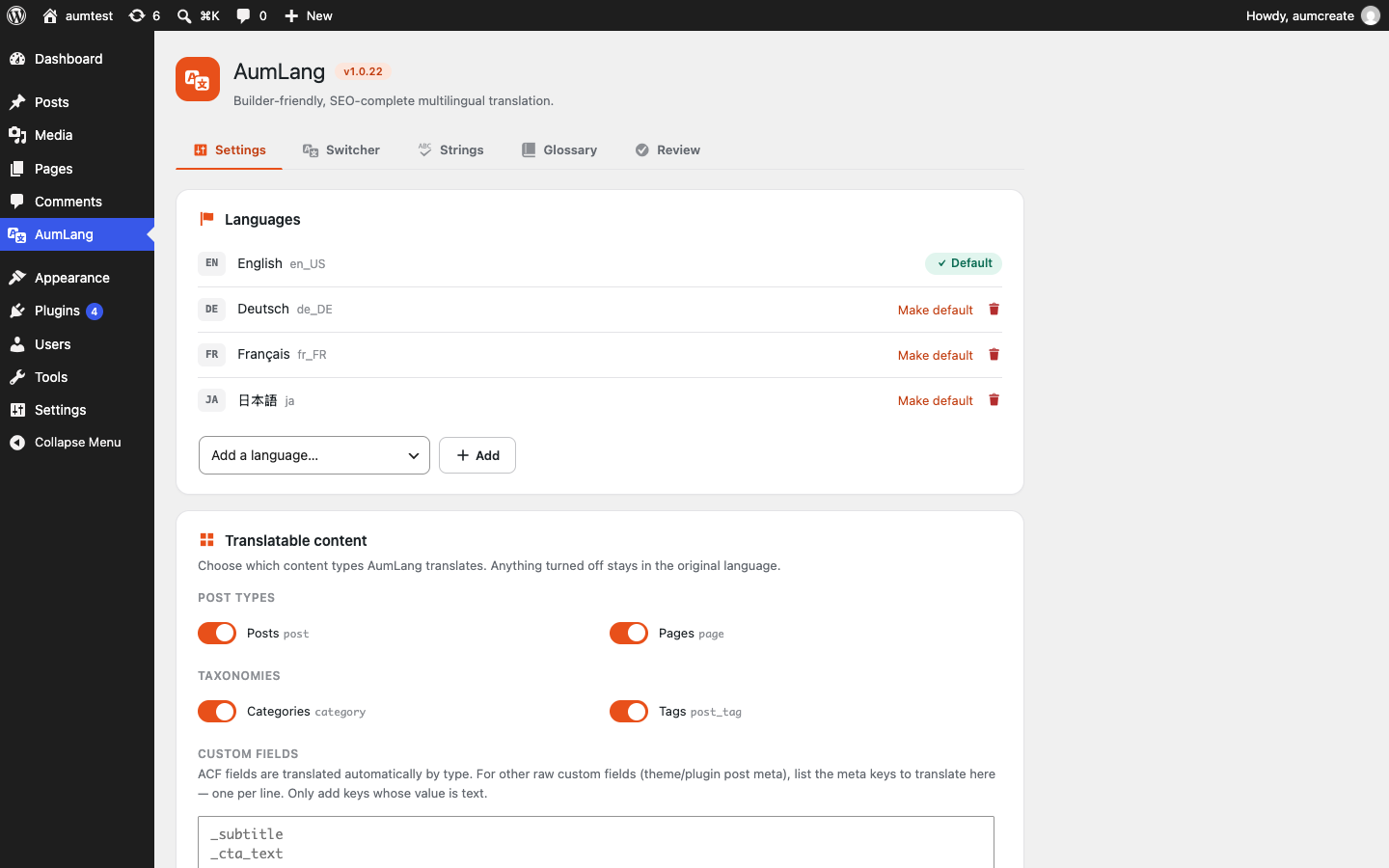
/zh/require them. - Go to the AumLang settings screen and add your languages. Leave the translation engine on “WordPress AI Client” if a provider is already connected under Settings > Connectors; otherwise switch it to the direct connection and enter your own endpoint, model and key.
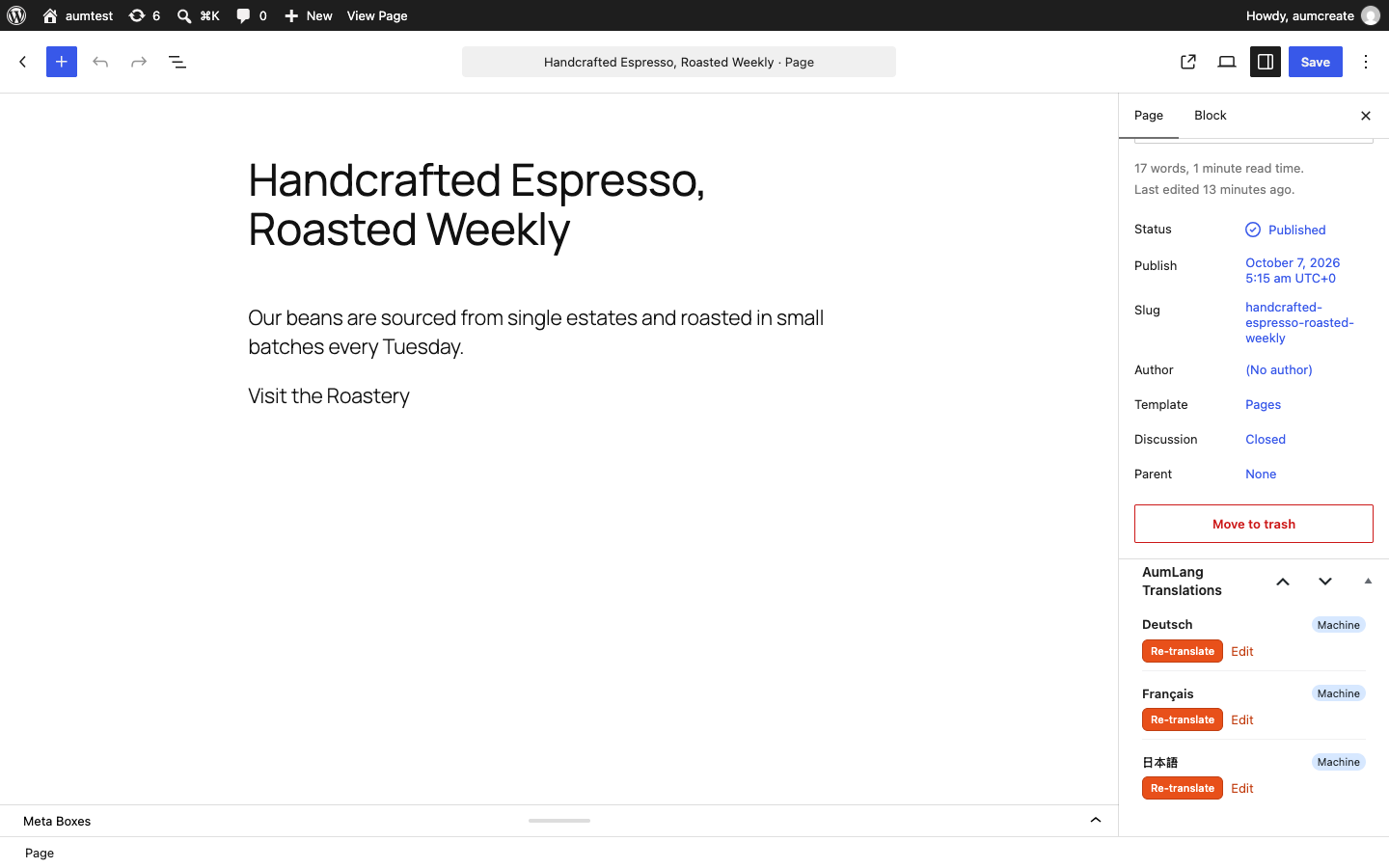
- Open any post, page or product and use the AumLang panel to translate it.
PMF
-
Do I need an API key?
-
Not if WordPress already has one. AumLang’s default engine is the AI client built into WordPress 7.0, which uses the provider connected under Settings > Connectors — that connection belongs to WordPress, is shared with every other plugin, and this plugin never sees the key.
You need your own key only for the second engine, the direct connection. It exists because the connectors WordPress ships cover Anthropic, Google and OpenAI, and a site whose network cannot reach any of those still needs a way to translate. It speaks the OpenAI-compatible chat API, so any service implementing it will do; you supply the endpoint, the model and the key, and the AI account is yours either way.
-
Does it work with Elementor and Gutenberg?
-
Yes. AumLang reads each builder’s own structure, translating only the text and leaving layout, styles and design untouched — including custom widgets.
-
Will it translate WooCommerce products?
-
Yes — product title, description, short description, categories, tags, brands and attributes, while carrying over price, stock and gallery so the translation remains a complete product. Multi-currency is intentionally out of scope; pair AumLang with a dedicated currency plugin if you need it.
-
How do visitors switch language?
-
Add the language switcher via the
[aumlang_language_switcher]shortcode, the block, the widget, or theaumlang_language_switcher()template tag.
Ressenyes
No hi ha ressenyes per a este complement.
Col·laboradors i desenvolupadors
«AumLang – AI Multilingual Translation & SEO» és programari de codi obert. La següent gent ha col·laborat en este complement.
Col·laboradors
Traduïx «AumLang – AI Multilingual Translation & SEO» a la teua llengua.
T’interessa el desenvolupament?
Revisa el codi , dona una ullada al repositori SVN o subscriu-te al registre de desenvolupament per RSS.
Registre de canvis
1.7.2
- A translation written in the wrong alphabet is no longer accepted. Nothing checked that what
came back was in the language that was asked for. A provider that answers an Italian request with
Chinese returns the right number of items, in valid JSON, with no error anywhere — so it was stored
as the Italian translation, and retrying produced the same thing because the stored value already
looked finished. Replies are now checked against the writing systems the target language actually
uses, and one in the wrong script is treated as a failed attempt: the retry runs, and if that fails
too the original text is kept. English left in place is a problem you can see; Chinese presented as
Italian is one you cannot. - The check only judges what can be judged with certainty — a script the language never uses. It does
not try to tell Spanish from Portuguese, and it never rejects a reply for a language it does not
know: not knowing is not evidence of an error.
1.7.1
- Bulk translation offered to translate posts that were themselves translations. The posts list
shows translations alongside their originals, so a site with three languages has four times the
rows — and “select all” selects what is on the screen. There is no way for the owner to tell which
rows are copies, so the Japanese copies of three posts were counted as “will be translated into
Japanese”: money spent to produce a Japanese translation of a Japanese page, overwriting what was
there. Those are now left alone, and the confirmation screen says why.
1.7.0
- Translate many posts at once. Select rows in the Posts or Pages list, pick a language from the
bulk actions menu, and AumLang works through them in the background. Until now the only way to
translate was the button in the editor: one post, one language, one click. A site with twenty pages
and five languages is a hundred clicks across twenty page loads, each waiting for the rounds to
finish — not a slow workflow but an impossible one, and sites were sitting at a handful of
combinations done while their owners reported the result as a fault in the translation. - Because this spends money, Apply does not start anything. It opens a screen saying how many posts
will actually be sent, how many already have a translation and will be left alone, and into which
language. That screen has the button. The counts are worked out as the screen is drawn, never
reused from a moment ago. - A post that already has a translation is skipped rather than translated again, including one whose
translation is out of date. Re-translating a single post stays where it was, on the button in the
editor that says what it will do before it does it. - The run survives the page being closed: it continues in the background and the progress screen
picks it up again. Stop finishes the post it is on and then stops; posts already done stay done.
1.6.0
- A header or footer built as a page is now translated. Builder-driven themes keep the header,
the footer and other global blocks in an ordinary page and render it inside every request with
get_post(), which runs no query — so nothing this plugin had hooked could see it. The entry was
in the translation list, translating it changed nothing on the front end, and there was no error
anywhere. The content is now matched by an exact hash of itself, so it works regardless of how the
theme fetched the page, and a theme that uses no such block pays one string comparison. - Widget text is now translated whatever wrote the widget. The previous pass used the
widget_title filter, which only fires if the widget itself calls it. Core widgets do; many others
simply print the stored value, and for those the title stayed in the source language and never even
appeared in the strings list, so there was nothing to notice. Every widget’s stored fields are now
read before it renders. URLs, icons, CSS classes, ids, email addresses and phone numbers are left
alone — translating those breaks the widget rather than the wording. - 23 more languages show their flag. A flag was drawn from the region in the locale, and
WordPress writes a number of locales with no region at all — Japanese isja, notja_JP. Those
languages sat in the switcher with no flag beside the ones that had one. Languages genuinely spoken
across several countries (English, Arabic, Swahili, Catalan, Basque) still show no flag, because
there is no right answer for them and a wrong flag is worse than none.
1.5.1
- The plugins list now carries a Guide link beside Deactivate, pointing at this plugin’s
manual in the language that administrator reads the admin in. The manual is the product’s
full documentation; it is a separate thing from the plugin’s own help text.
Older entries are in changelog.txt, which ships with the plugin.