

Descripció
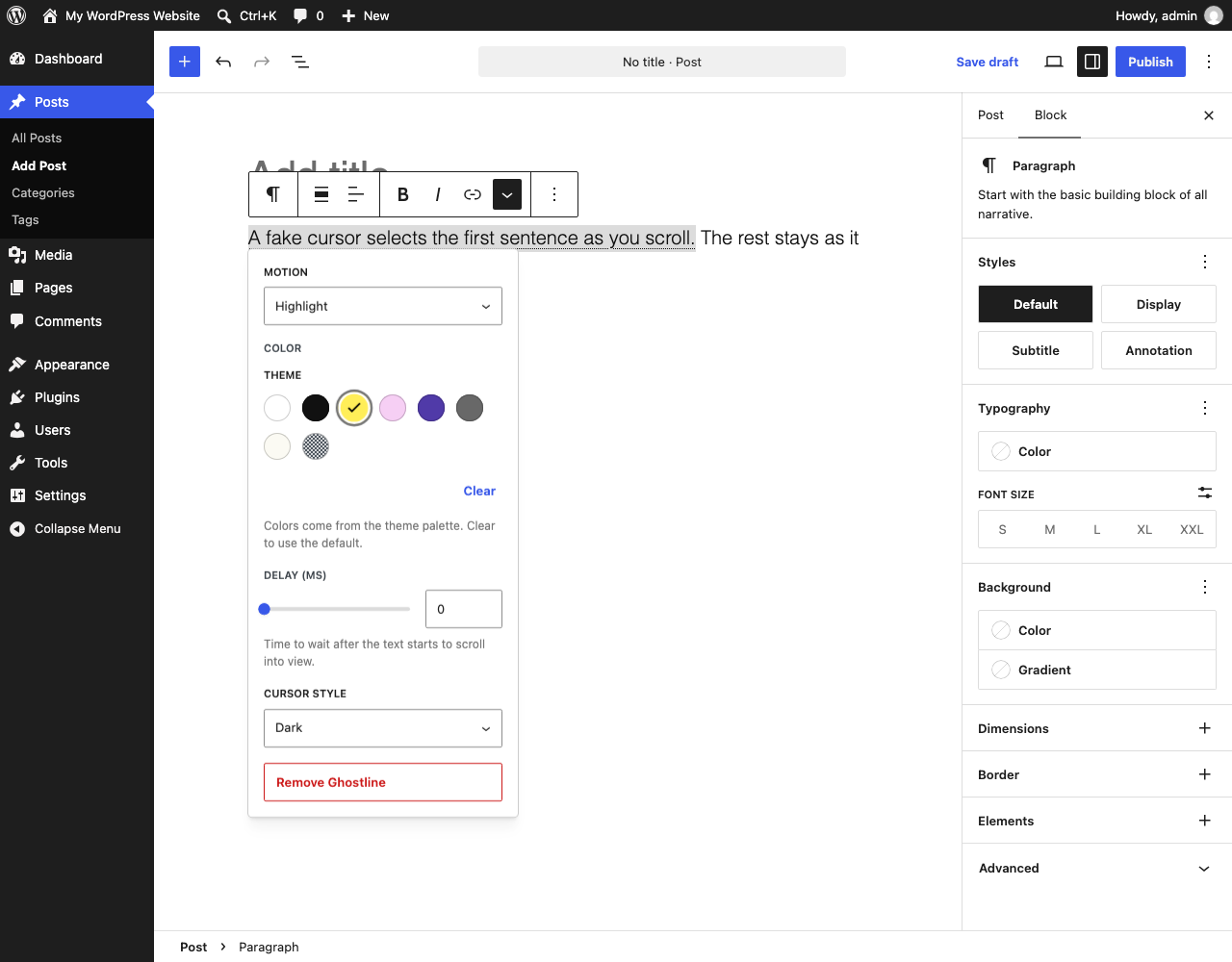
Ghostline adds cursor motions to text in headings and paragraphs. Select some words and apply the Ghostline format. When a visitor scrolls, a fake cursor operates the text. When the visitor scrolls back, the motion plays in reverse.
Motions
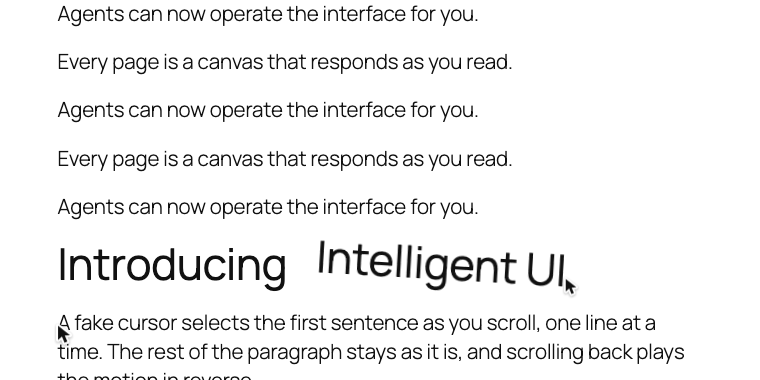
- Move: The cursor drags tilted text into its position.
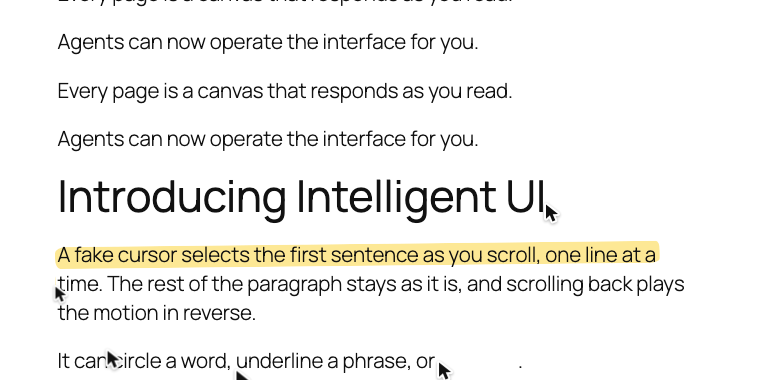
- Highlight: The cursor marks the text. A marker stroke stays on each line.
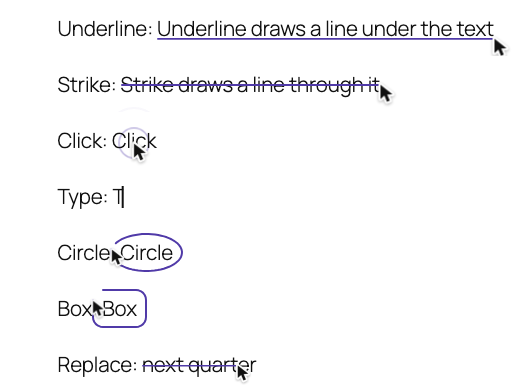
- Underline: The cursor draws a line below the text.
- Strike: The cursor draws a line through the text.
- Click: The cursor clicks the text. A ring spreads out.
- Type: A caret types the text, one character at a time.
- Circle: The cursor draws a ring around the text.
- Box: The cursor draws a box around the text.
- Replace: The cursor strikes out old text. Then the new text is typed.
Features
- Works in the core Heading, Paragraph, List, and Quote blocks.
- Options for each motion: type, theme color, delay, cursor style.
- Works with block themes and classic themes.
- Supports right-to-left languages.
Accessibility and performance
- The real text always stays on the page. Screen readers do not read the cursor or the decoration.
- With “reduce motion” on, the text shows its final state immediately.
- Without JavaScript, the text shows as normal text.
- The motions do not move the page layout.
- The script loads only on pages that use a motion. The main script is about 4 KB (gzip).
- The plugin does not collect data or connect to external services.
Captures

Instal·lació
- Install and activate the plugin.
- In the block editor, select some text in a Heading, Paragraph, List, or Quote block.
- In the block toolbar, open More (the arrow) and click Ghostline.
- Set the options in the popover.
To change the options, put the cursor in the text and click Ghostline again.
PMF
-
How do I remove a motion?
-
Put the cursor in the text. Click More > Ghostline > Remove Ghostline.
-
Why does long text not wrap?
-
Move, Click, Type, Circle, Box, and Replace keep the text on one line. Use them for a few words. For a full sentence, use Highlight, Underline, or Strike.
-
Does Strike delete the text?
-
No. Strike is only a visual effect. For a real deletion, use the core Strikethrough format.
-
What do search engines get from Replace?
-
They get only the new text. The old text is a visual effect only.
-
Does the motion replay?
-
Yes. The motion follows the scroll. It plays when you scroll down and reverses when you scroll up.
Ressenyes
No hi ha ressenyes per a este complement.
Col·laboradors i desenvolupadors
«Ghostline» és programari de codi obert. La següent gent ha col·laborat en este complement.
Col·laboradors
Traduïx «Ghostline» a la teua llengua.
T’interessa el desenvolupament?
Revisa el codi , dona una ullada al repositori SVN o subscriu-te al registre de desenvolupament per RSS.
Registre de canvis
1.1.0
- Highlight now looks like a marker stroke: uneven round ends, a small tilt, and a little past the text.
1.0.0
- First release.