

Descripció
IntelliContent is a WordPress plugin that leverages the power of OpenAI to streamline content generation for your website. Seamlessly integrate AI-generated articles directly into the Gutenberg editor, with customizable settings for model selection, temperature, and more. Enhance your content creation workflow and save time with IntelliContent.
Usage
- Create an account at OpenAI.
- Create an API key and insert in the plugin settings (IntelliContent -> Settings).
- Enjoy the features of IntelliContent!
- … and always keep an eye on your OpenAI usage!
Open AI
The IntelliContent utilizes the API from OpenAI. This plugin does not gather any information from your OpenAI account. The data transmitted to the OpenAI servers primarily consists of the content of your article and the context you specify. Please also review their Privacy Policy and Terms of Service for further information.
Disclaimer
IntelliContent is a plugin that helps users connect their websites to IntelliContent like OpenAI’s ChatGPT. Users need their own API key and must follow the rules set by the AI service they choose. By using IntelliContent, users agree to watch and manage the content made by the AI and handle any problems or misuse. The developer of IntelliContent and related parties are not responsible for any issues or losses caused by using the plugin or AI-generated content. Users should talk to a legal expert and follow the laws in their area.
Captures



Instal·lació
There are 3 different ways to install IntelliContent, as with any other wordpress.org plugin.
Using the WordPress dashboard
- Navigate to the ‘Add New’ in the plugins dashboard
- Search for ‘IntelliContent’
- Click ‘Install Now’
- Activate the plugin on the Plugin dashboard
Uploading in WordPress Dashboard
- Download the latest version of this plugin from https://wordpress.org/plugins/intelli-content/
- Navigate to the ‘Add New’ in the plugins dashboard
- Navigate to the ‘Upload’ area
- Select the zip file (from step 1.) from your computer
- Click ‘Install Now’
- Activate the plugin in the Plugin dashboard
Using FTP
- Download the latest version of this plugin from https://wordpress.org/plugins/intelli-content/
- Unzip the zip file, which will extract the intelli-content directory to your computer
- Upload the intelli-content directory to the /wp-content/plugins/ directory in your web space
- Activate the plugin in the Plugin dashboard
PMF
-
How do I generate content with IntelliContent?
-
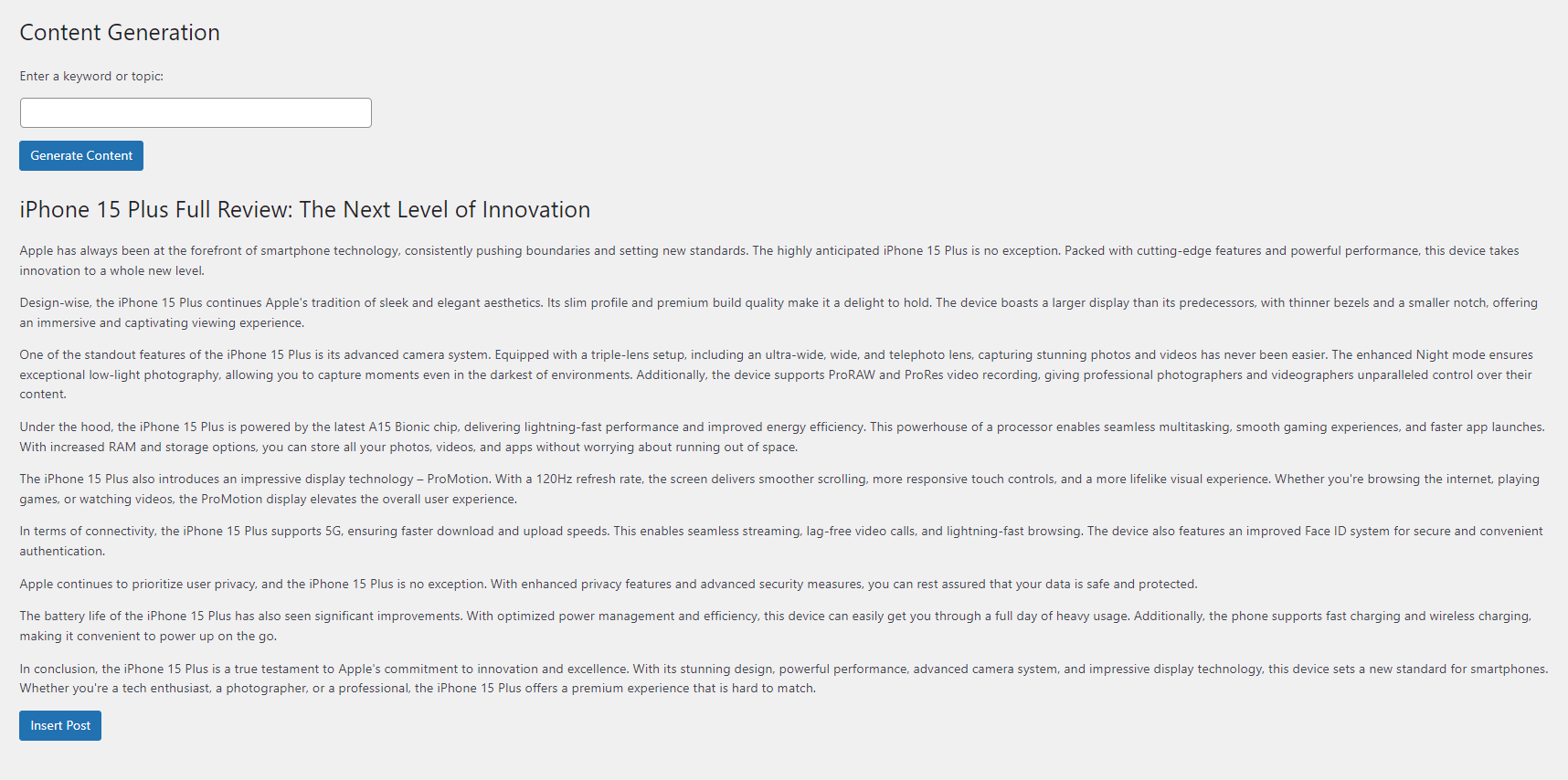
To generate content, navigate to the IntelliContent settings page in the WordPress admin dashboard to configure OpenAI settings. Then, use the Content Generation page to enter keywords or topics and generate AI-powered content. Customize content generation settings as needed and preview generated content within the editor.
-
Can I customize the content generation settings?
-
Yes, IntelliContent provides customizable settings for model selection, temperature, and more. Tailor the content generation process to your needs and preferences.
Ressenyes
No hi ha ressenyes per a este complement.
Col·laboradors i desenvolupadors
«Intelli Content – AI Writer (GPT 3.5 Turbo, GPT 4, Turbo, Preview)» és programari de codi obert. La següent gent ha col·laborat en este complement.
Col·laboradors
“Intelli Content – AI Writer (GPT 3.5 Turbo, GPT 4, Turbo, Preview)” s’ha traduït a 1 configuració regional. Gràcies als traductors per les seues aportacions.
Traduïx «Intelli Content – AI Writer (GPT 3.5 Turbo, GPT 4, Turbo, Preview)» a la teua llengua.
T’interessa el desenvolupament?
Revisa el codi , dona una ullada al repositori SVN o subscriu-te al registre de desenvolupament per RSS.
Registre de canvis
1.0.0
- Initial release of IntelliContent plugin.
1.0.1
- Improve writing prompt.