

Descripció
Do you want to share any location? ShareWhere plugin shares the location you want.
You just have to select location in google map and insert that location into post/page.
Roadmap
- Share location in BuddyPress Comments
- Share location in bbPress Forums
- include map instead of location name
Captures

Add Location 
Google Map 
Search Places 
Location Type 
After insert into post/page 
Location on frontend 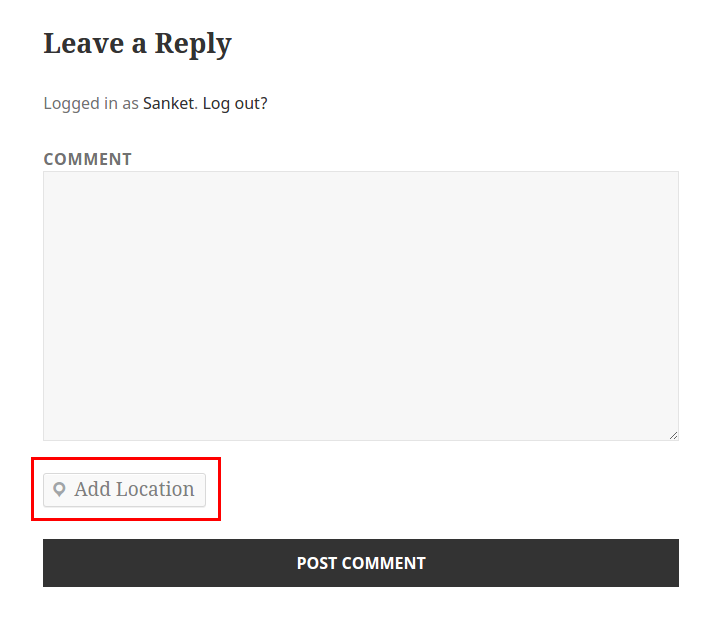
Add Location in WordPress Comment 
Add Location in BuddyPress Activity
Instal·lació
From your WordPress dashboard
- Visit ‘Plugins > Add New’
- Search for ‘ShareWhere’
- Activate ShareWhere from your Plugins page.
From WordPress.org
- Download ShareWhere.
- Upload the ‘sharewhere’ directory to your ‘/wp-content/plugins/’ directory, using your favorite method (ftp, sftp, scp, etc…)
- Activate ShareWhere from your Plugins page.
PMF
- Can I use my existing WordPress theme?
-
Yes! ShareWhere works out-of-the-box with nearly every WordPress theme.
Ressenyes

3 de setembre de 2016
1 reply
Great work guys love it.

8 de febrer de 2017
Nice Plugin ! I like it, Great work Guys 🙂
Col·laboradors i desenvolupadors
«ShareWhere» és programari de codi obert. La següent gent ha col·laborat en este complement.
Col·laboradors


Traduïx «ShareWhere» a la teua llengua.
T’interessa el desenvolupament?
Revisa el codi , dona una ullada al repositori SVN o subscriu-te al registre de desenvolupament per RSS.
Registre de canvis
1.2 – Oct 30, 2015
- Add Location in BuddyPress Activity
1.1 – Aug 31, 2015
- Add Location in WordPress Comment
1.0.1 – Aug 20, 2015
- Removed unwanted code
1.0 – Aug 20, 2015
- Inital Release
- Share location using google map in post/page
- Added Readme