
Descripció
StaticForm for WordPress lets you connect your StaticForm account and embed your forms anywhere on your site — no coding required.
Key Features
- API Key Authentication – Connect your StaticForm account securely with an API key
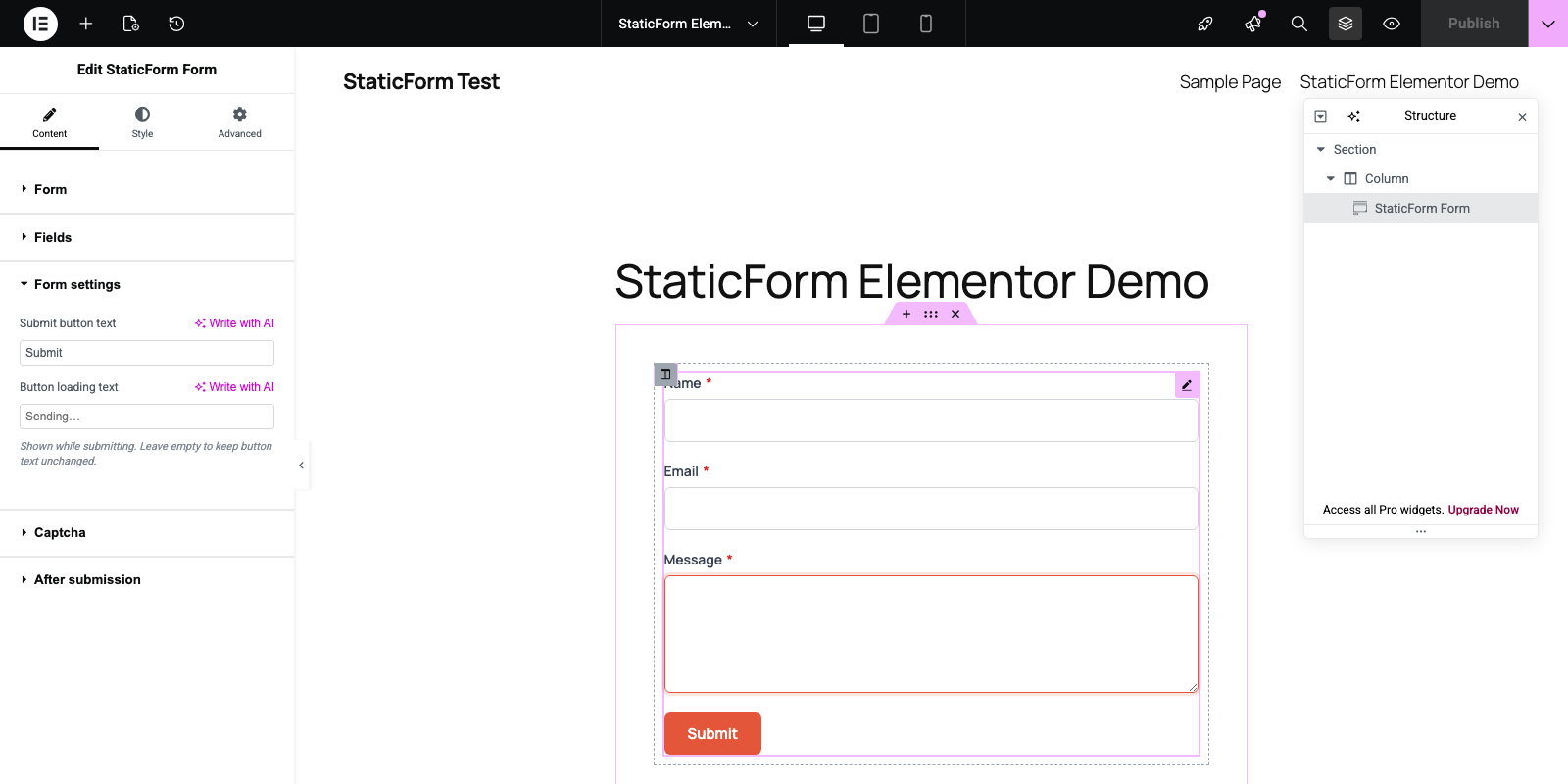
- Three Embedding Methods – Shortcode, Gutenberg block, and Elementor widget
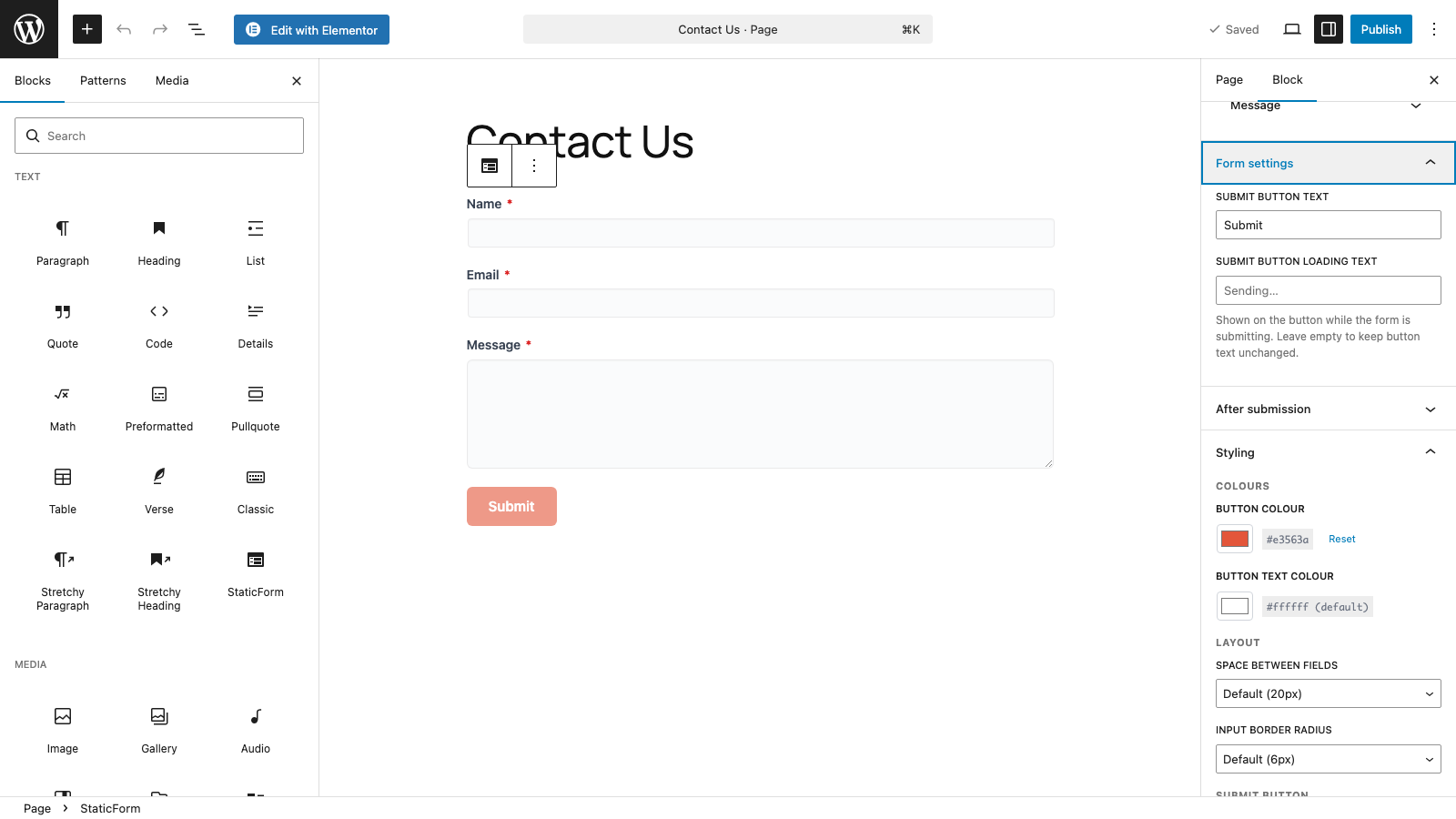
- Per-form Styling – Customize accent color, button radius, field spacing, and more per form
- Captcha Support – Configure reCAPTCHA v2/v3, hCaptcha, or Cloudflare Turnstile per form
- Custom Success Behavior – Show a message, redirect, or display an animation after submission
- Field Customization – Override labels and placeholder text per form
How It Works
- Install and activate the plugin
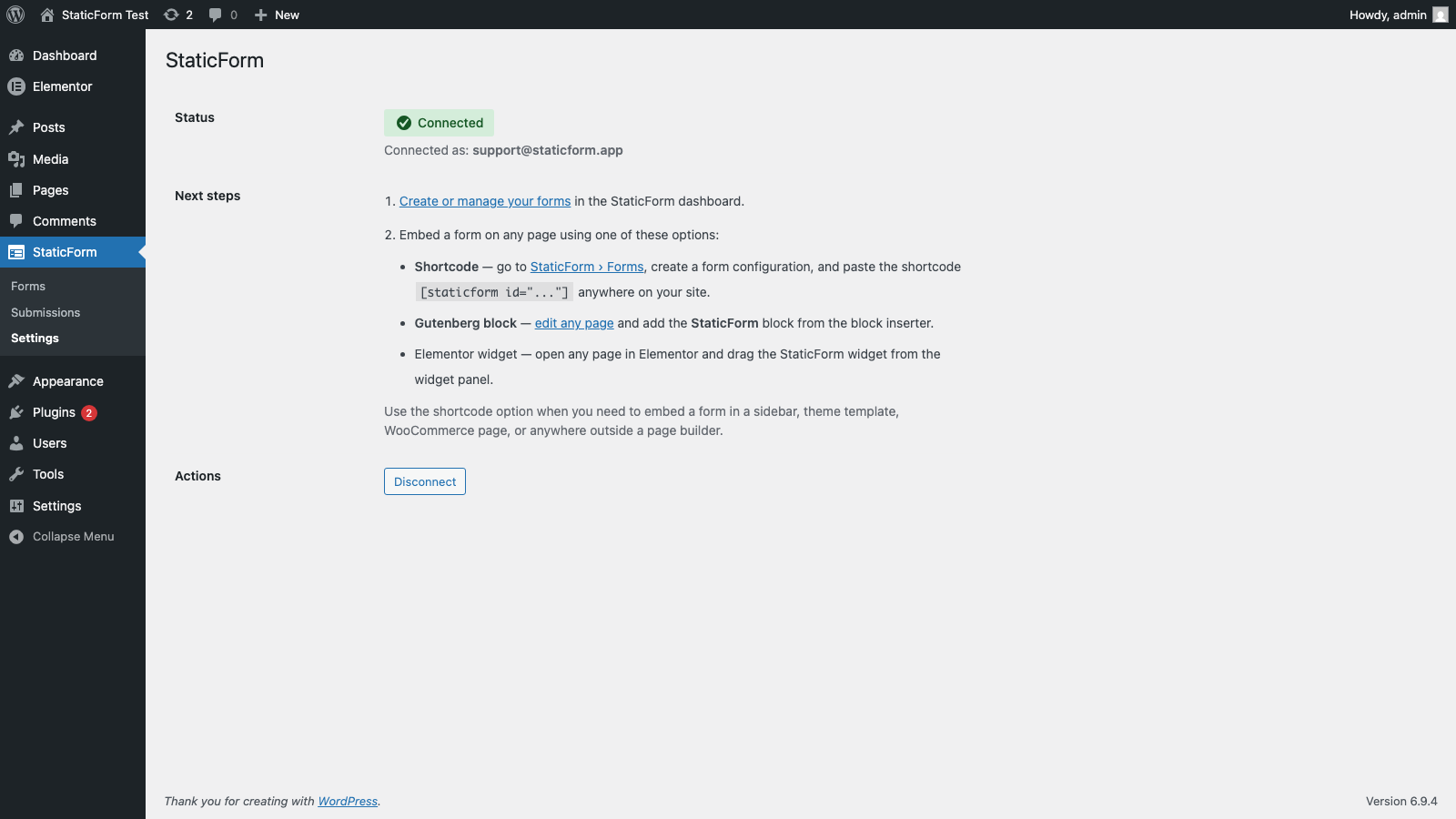
- Go to StaticForm > Settings and enter your API key
- Create forms in the StaticForm web app at https://app.staticform.app
- Embed forms using a shortcode, Gutenberg block, or Elementor widget
Shortcode Usage
Embed a form by its StaticForm form ID:
[staticform-app id=”your-form-id”]
Requirements
- WordPress 5.8 or higher
- PHP 7.4 or higher
- A StaticForm account (free signup at https://staticform.app)
External Services
This plugin connects to the StaticForm API (https://api.staticform.app). Specifically:
- Your API key is validated with the StaticForm API when saved in Settings
- Form configurations are fetched from the StaticForm API when a page containing a form is rendered
- Form submissions are sent to the StaticForm API when a visitor submits a form
StaticForm’s terms of service: https://staticform.app/terms
StaticForm’s privacy policy: https://staticform.app/privacy
Privacy Policy
This plugin connects to StaticForm’s external API at https://api.staticform.app. When using this plugin:
- Your StaticForm API key is stored encrypted in the WordPress database
- Form configurations are retrieved from the StaticForm API
- Form submissions entered by your site visitors are sent to the StaticForm API for processing
- No form submission data is stored locally in WordPress
For full details, see: https://staticform.app/privacy
Support
- Documentation: https://docs.staticform.app
- Support: https://staticform.app/support
Captures
Blocs
Este complement proporciona 1 bloc.
- StaticForm
Instal·lació
- Upload the plugin files to
/wp-content/plugins/staticform-app/, or install through the WordPress Plugins screen - Activate the plugin through the ‘Plugins’ menu in WordPress
- Go to StaticForm > Settings
- Enter your StaticForm API key and click Save
- Start embedding forms using the shortcode, Gutenberg block, or Elementor widget
PMF
-
Do I need a StaticForm account?
-
Yes, you need a StaticForm account to use this plugin. Sign up for free at https://staticform.app.
-
Where do I find my API key?
-
Log in to your StaticForm account at https://app.staticform.app, go to Settings > API Keys, and create a new key.
-
Is the plugin free?
-
Yes, the plugin is completely free. StaticForm has its own pricing for form submissions — see https://staticform.app/pricing for details.
-
How do I create forms?
-
Forms are created in the StaticForm web app at https://app.staticform.app. Once created, they are available to embed in WordPress via the plugin.
-
Can I customize form styling?
-
Yes. After connecting your API key and adding a form to a page, you can configure per-form styling options (colours, button radius, field spacing) via the form embed block or shortcode settings in the admin.
-
Does it work with Gutenberg?
-
Yes. Use the “StaticForm” block in the block editor to embed a form.
-
Does it work with Elementor?
-
Yes. A StaticForm widget is available in the Elementor widget panel.
-
What captcha providers are supported?
-
reCAPTCHA v2, reCAPTCHA v3, hCaptcha, and Cloudflare Turnstile. You provide your own site key per form.
Ressenyes
No hi ha ressenyes per a este complement.
Col·laboradors i desenvolupadors
«StaticForm App» és programari de codi obert. La següent gent ha col·laborat en este complement.
Col·laboradors
Traduïx «StaticForm App» a la teua llengua.
T’interessa el desenvolupament?
Revisa el codi , dona una ullada al repositori SVN o subscriu-te al registre de desenvolupament per RSS.
Registre de canvis
1.2.0
- Renamed the plugin to StaticForm App (slug staticform-app) and updated the text domain to match
- Renamed the shortcode to [staticform-app id=”…”]
1.1.0
- Replaced the free-form Custom CSS field with structured colour controls (text, label, help, input background, border, error) across the Gutenberg block, Elementor widget, and shortcode form configs
- Moved all inline scripts and styles to the WordPress enqueue API
- Prefixed transient and JavaScript globals for uniqueness
1.0.0
- Initial public release
- API key authentication
- Shortcode support: [staticform-app id=”…”]
- Gutenberg block for the block editor
- Elementor widget support
- Per-form styling (accent color, button radius, field spacing, colours)
- Captcha site key configuration per form (reCAPTCHA v2/v3, hCaptcha, Turnstile)
- Custom after-submission behavior (success message, redirect, animation)
- Field label and placeholder customization